
Go 3D Game Engine http://g3n.rocks
Fork from https://github.com/g3n/engine
 Daniel Salvadori
9e48c7ee3e
cleanup/docs
Daniel Salvadori
9e48c7ee3e
cleanup/docs
|
8 anni fa | |
|---|---|---|
| animation | 8 anni fa | |
| audio | 8 anni fa | |
| camera | 8 anni fa | |
| core | 8 anni fa | |
| experimental | 8 anni fa | |
| geometry | 8 anni fa | |
| gls | 8 anni fa | |
| graphic | 8 anni fa | |
| gui | 8 anni fa | |
| light | 8 anni fa | |
| loader | 8 anni fa | |
| material | 8 anni fa | |
| math32 | 8 anni fa | |
| renderer | 8 anni fa | |
| text | 8 anni fa | |
| texture | 8 anni fa | |
| tools | 8 anni fa | |
| util | 8 anni fa | |
| window | 8 anni fa | |
| .gitattributes | 8 anni fa | |
| LICENSE | 9 anni fa | |
| README.md | 8 anni fa |
README.md


G3N - Go 3D Game Engine
G3N (pronounced "gen") is an OpenGL 3D game engine written in Go. G3N was heavily inspired by three.js.
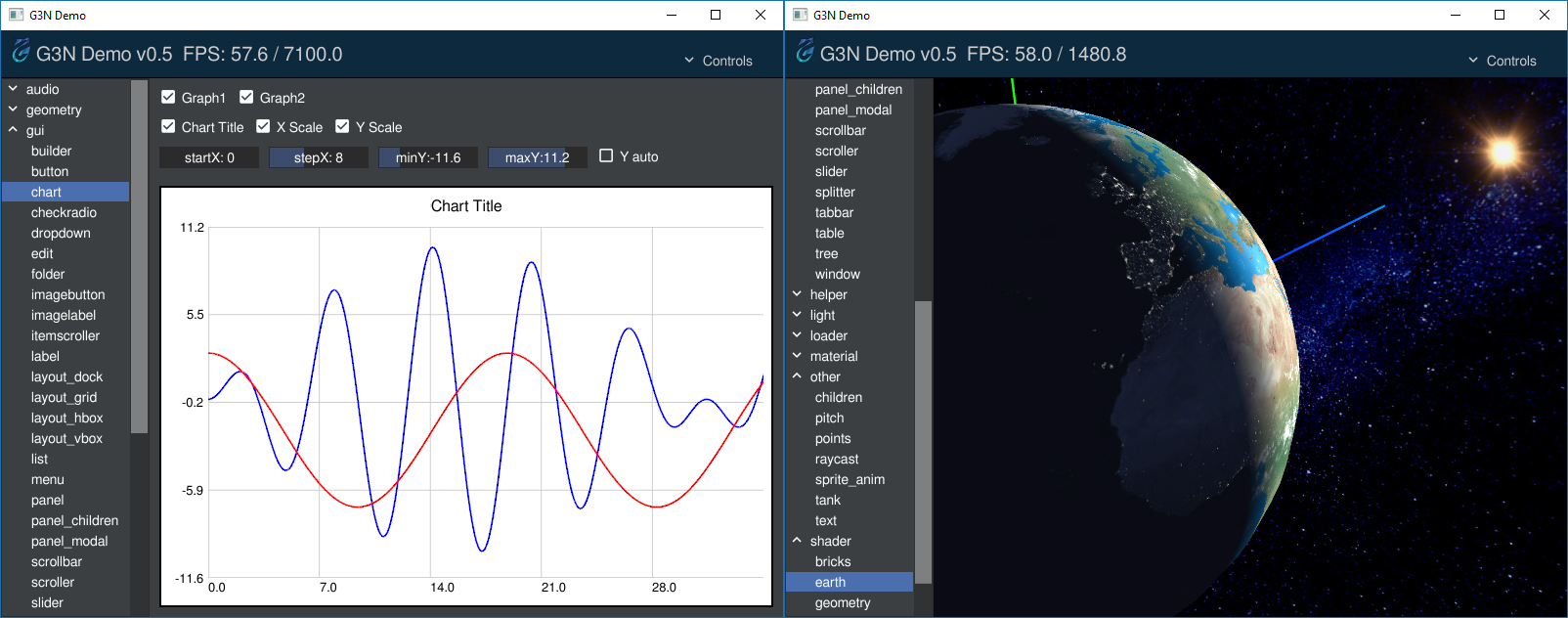
To see G3N in action try the G3N demo or the Gokoban award winning game.
Highlighted Projects
Gokoban - 3D Puzzle Game (1st place in the 2017 Gopher Game Jam)
Dependencies
G3N requires Go 1.8+
The engine needs an OpenGL driver installed in the system and on Unix like systems depends on some C libraries that can be installed using the distribution package manager. In all cases it is necessary to have a gcc compatible C compiler installed.
- For Ubuntu/Debian-like Linux distributions, install the following packages:
xorg-devlibgl1-mesa-devlibopenal1libopenal-devlibvorbis0alibvorbis-devlibvorbisfile3
- For CentOS/Fedora-like Linux distributions, install the following packages:
xorg-x11-devel.x86_64mesa-libGL.x86_64mesa-libGL-devel.x86_64openal-soft.x86_64openal-soft-devel.x86_64libvorbis.x86_64libvorbis-devel.x86_64
- For Windows the necessary audio libraries sources and
dllsare supplied but they need to be installed manually. Please see Audio libraries for Windows for details. We tested the Windows build using the mingw-w64 toolchain. - (Not fully-tested on OSX) On OSX, you should install the development files of OpenAL and Vorbis. If
your are using Homebrew as your package manager, run:
brew install libvorbis openal-soft
Installation
The following command will download the engine and all its dependencies, compile and install the packages. Make sure your GOPATH is set correctly.
go get -u github.com/g3n/engine/...
Features
- Hierarchical scene graph. Any node can contain other nodes.
- Supports perspective and orthographic cameras. The camera can be controlled by the orbit control which allow zooming, rotation and panning using the mouse or keyboard.
- Suports ambient, directional, point and spot lights. Many lights can be added to the scene.
- Generators for primitive geometries such as: lines, box, sphere, cylinder and torus.
- Geometries can support multimaterials.
- Image textures can loaded from GIF, PNG or JPEG files and applied to materials.
- Loaders for the following 3D formats: Obj and Collada
- Text support allowing loading freetype fonts.
- Basic GUI supporting the widgets: label, image, button, checkbox, radiobutton, edit, scrollbar, slider, splitter, list, dropdown, tree, folder, window and layout managers (horizontal box, vertical box, grid, dock)
- Spatial audio support allowing playing sound from wave or Ogg Vorbis files.
- Users' applications can use their own vertex and fragment shaders.

Basic application
The following code shows a basic G3N application
(hellog3n)
which shows a wireframed sphere rotating.
You can install hellog3n using: go get -u github.com/g3n/demos/hellog3n
For more complex demos please see the G3N demo program.
package main

import (
	"github.com/g3n/engine/camera"
	"github.com/g3n/engine/core"
	"github.com/g3n/engine/geometry"
	"github.com/g3n/engine/gls"
	"github.com/g3n/engine/graphic"
	"github.com/g3n/engine/light"
	"github.com/g3n/engine/material"
	"github.com/g3n/engine/math32"
	"github.com/g3n/engine/renderer"
	"github.com/g3n/engine/window"
	"math"
	"runtime"
)

func main() {

	// Creates window and OpenGL context
	wmgr, err := window.Manager("glfw")
	if err != nil {
		panic(err)
	}
	win, err := wmgr.CreateWindow(800, 600, "Hello G3N", false)
	if err != nil {
		panic(err)
	}

	// OpenGL functions must be executed in the same thread where
	// the context was created (by CreateWindow())
	runtime.LockOSThread()

	// Create OpenGL state
	gs, err := gls.New()
	if err != nil {
		panic(err)
	}

	// Sets the OpenGL viewport size the same as the window size
	// This normally should be updated if the window is resized.
	width, height := win.Size()
	gs.Viewport(0, 0, int32(width), int32(height))

	// Creates scene for 3D objects
	scene := core.NewNode()

	// Adds white ambient light to the scene
	ambLight := light.NewAmbient(&math32.Color{1.0, 1.0, 1.0}, 0.5)
	scene.Add(ambLight)

	// Adds a perspective camera to the scene
	// The camera aspect ratio should be updated if the window is resized.
	aspect := float32(width) / float32(height)
	camera := camera.NewPerspective(65, aspect, 0.01, 1000)
	camera.SetPosition(0, 0, 5)

	// Add an axis helper to the scene
	axis := graphic.NewAxisHelper(2)
	scene.Add(axis)

	// Creates a wireframe sphere positioned at the center of the scene
	geom := geometry.NewSphere(2, 16, 16, 0, math.Pi*2, 0, math.Pi)
	mat := material.NewStandard(math32.NewColor("White"))
	mat.SetSide(material.SideDouble)
	mat.SetWireframe(true)
	sphere := graphic.NewMesh(geom, mat)
	scene.Add(sphere)

	// Creates a renderer and adds default shaders
	rend := renderer.NewRenderer(gs)
	err = rend.AddDefaultShaders()
	if err != nil {
		panic(err)
	}
	rend.SetScene(scene)

	// Sets window background color
	gs.ClearColor(0, 0, 0, 1.0)

	// Render loop
	for !win.ShouldClose() {

		// Rotates the sphere a bit around the Z axis (up)
		sphere.AddRotationY(0.005)

		// Render the scene using the specified camera
		rend.Render(camera)

		// Update window and checks for I/O events
		win.SwapBuffers()
		wmgr.PollEvents()
	}
}

To Do
G3N is a basic game engine. There is a lot of things to do. We will soon insert here a list of the most important missing features.
Documentation
For the engine API reference, please use
.
Currently the best way to learn how to use the engine is to see the source code
of the demos from G3ND.
We intend to write in the future documentation topics
to build a user guide in the wiki.
Contributing
If you spot a bug or create a new feature you are encouraged to send pull requests.
Community
Join our channel on Gophers Slack (Click here to register for Gophers Slack).